
Everything a return needs, and nothing it doesn't.
TaxFiler has two sides: a portal your clients sign in to, and a workspace your team runs the season from. Here's each screen, as it ships.
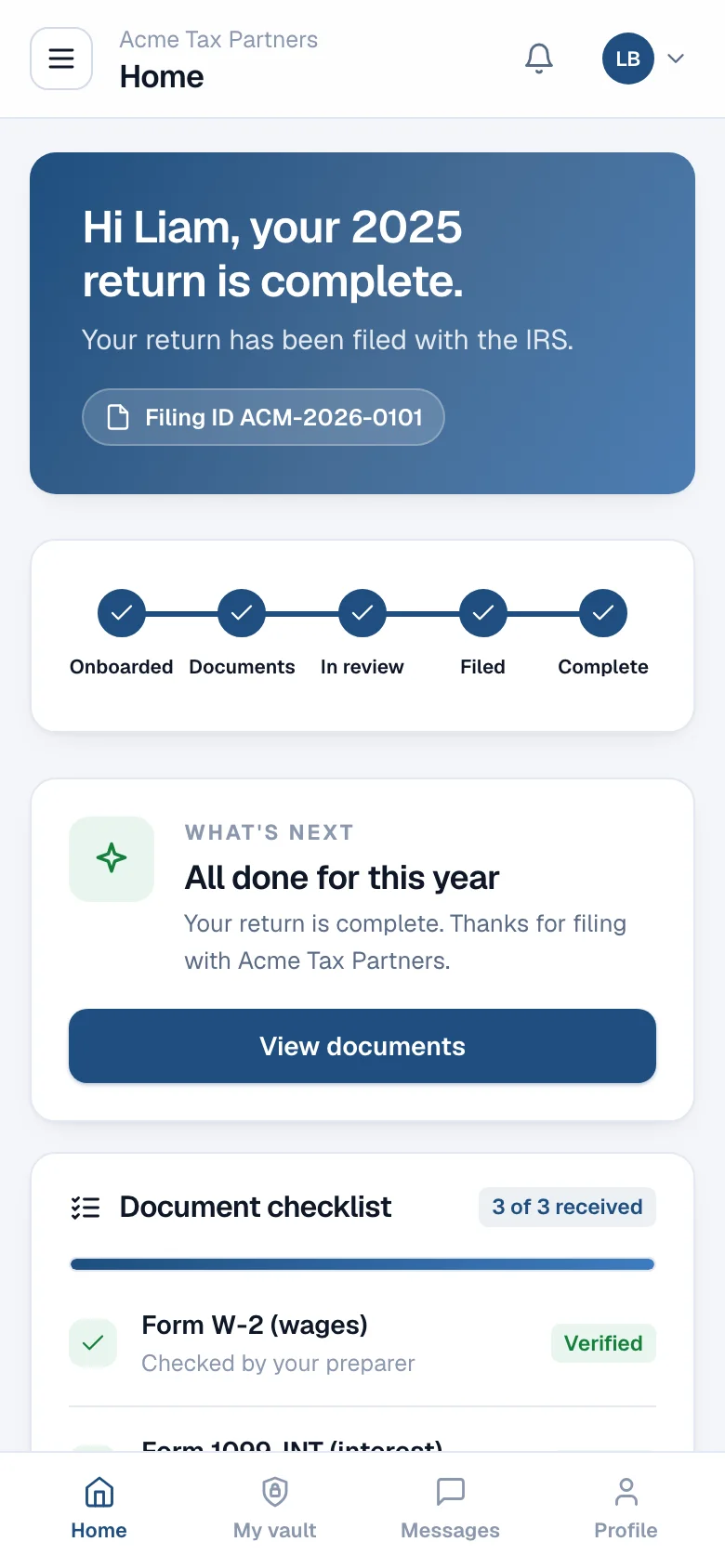
A home screen that answers “where is my return?”
A five-step tracker, the one thing the client should do next, their checklist, their preparer and a running history. It carries your firm's name and colours; TaxFiler isn't mentioned anywhere.
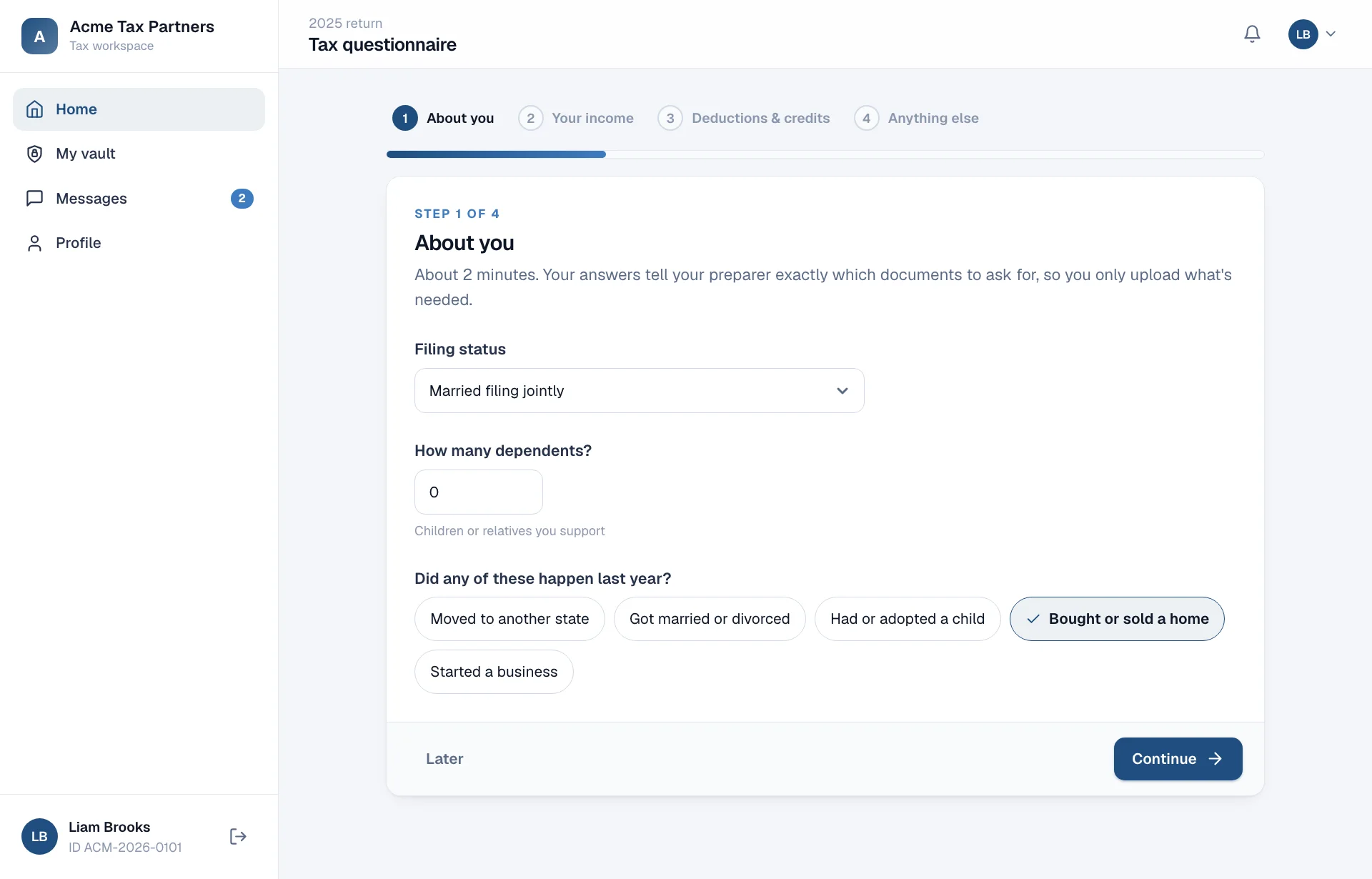
A questionnaire instead of a document dump.
Filing status, dependents, income sources, deductions and life events for US clients; residency, regime, income heads and Chapter VI-A deductions for Indian clients. Each answer maps to the documents you'll need.
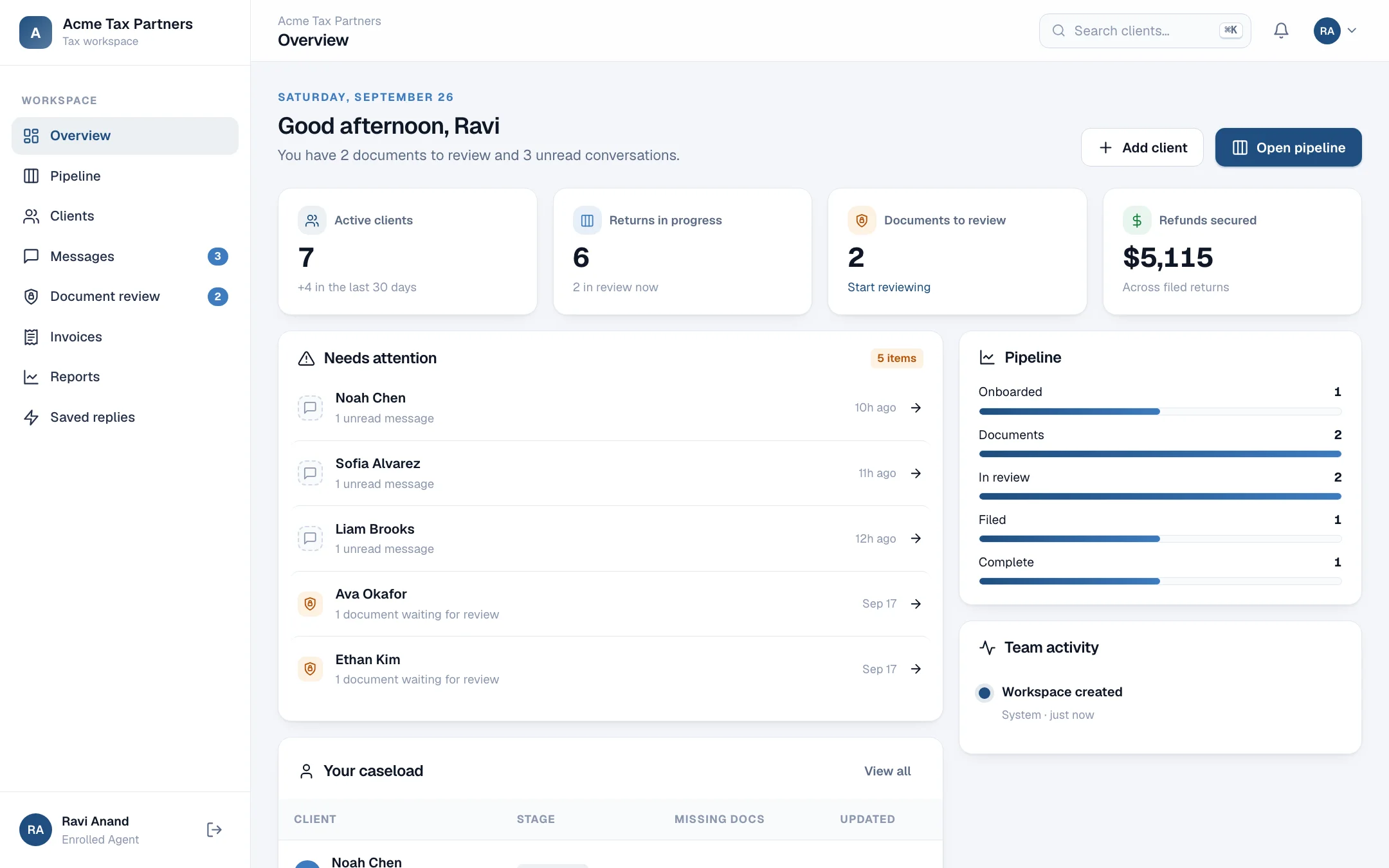
Start the day with what needs you.
Documents waiting for review, unread conversations and returns that haven't moved in a week, followed by your own caseload and the team's activity.
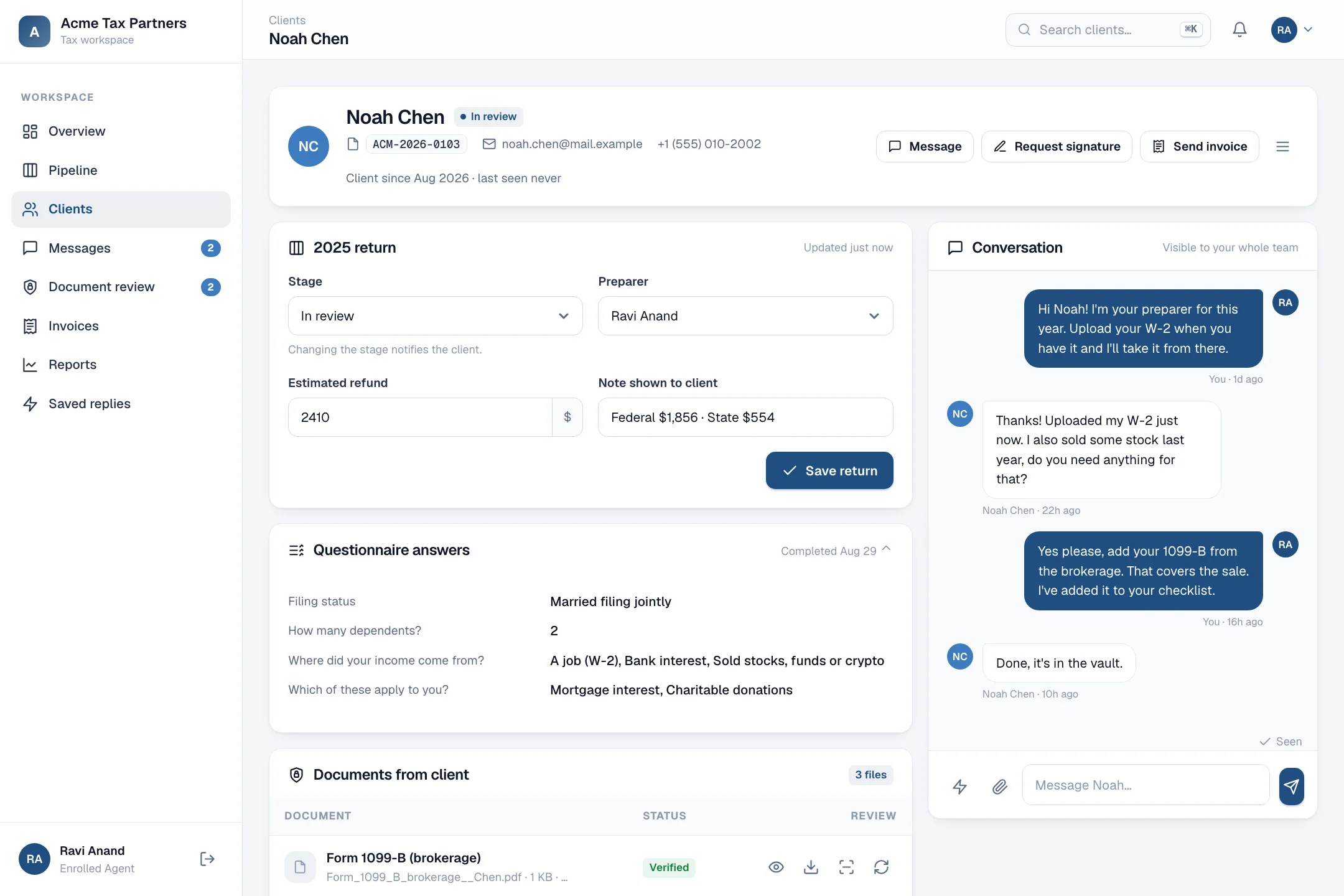
The whole relationship on one screen.
The return and its stage, questionnaire answers, documents with verify and re-upload, signatures, invoices, internal notes and the conversation, side by side.
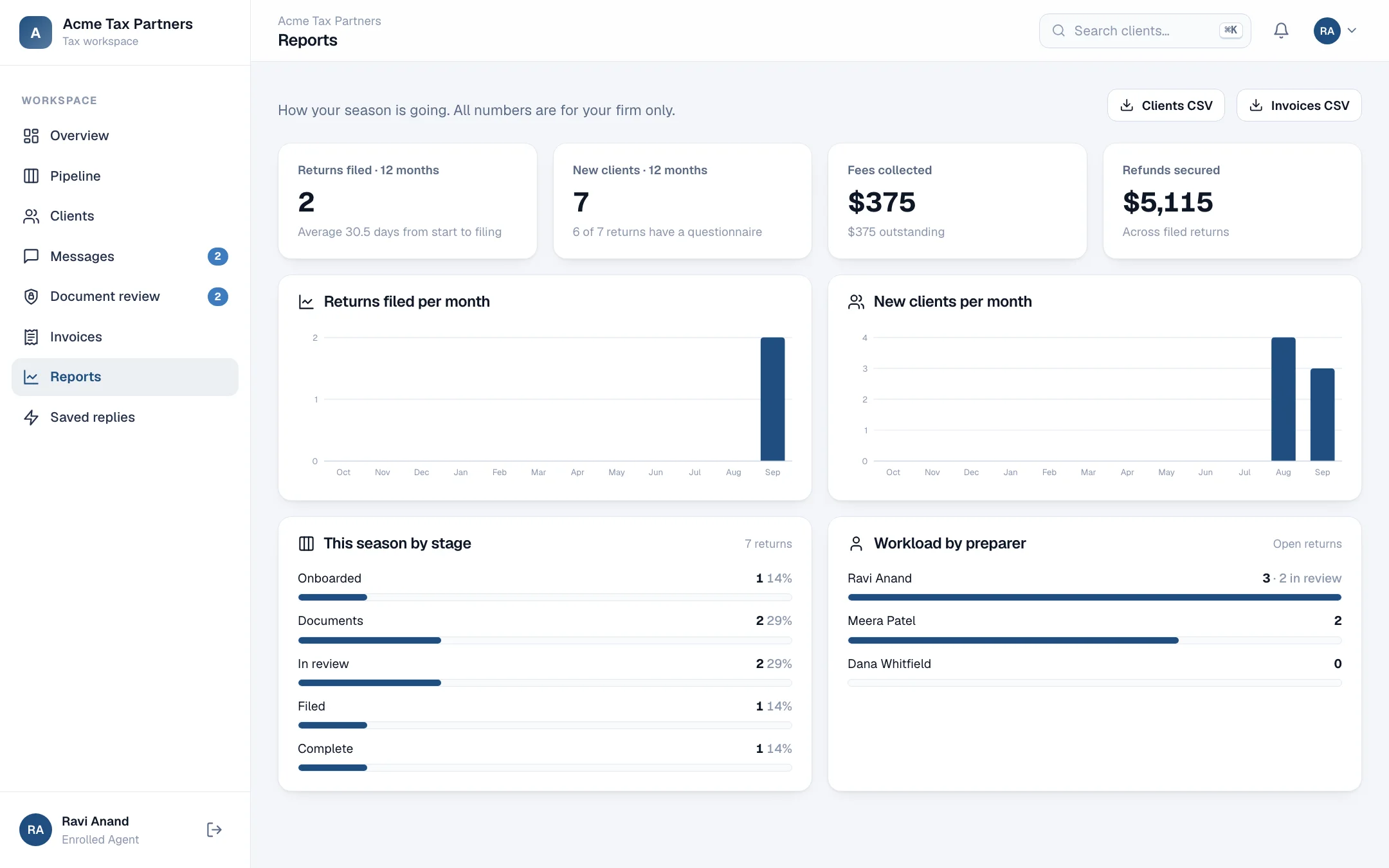
Know how the season is going.
Returns filed each month, new clients, turnaround from first upload to filing, workload by preparer and fees collected. Everything exports to CSV.
Your own domain
Connect portal.yourfirm.com with two DNS records. HTTPS is issued automatically.
Command palette
Press ⌘K to find any client by name, email, phone or filing ID.
Notifications
A bell for uploads, messages and signatures, plus email to clients at each step.
Seasons
Open next year's return with last year's checklist. History stays in the vault.
Saved replies
The answers you type every week, one click away in any conversation.
Light and dark
For your team late in March, and for clients whose phones are set to dark.